How to Play 6 nimmt! Online
By the Tavernly team ·
6 nimmt! is Wolfgang Kramer's 1994 card game, and this guide explains how to play 6 nimmt! online. Board Game Arena lists a browser version, the App Store lists the 6 takes! app, and you can also try Wickwise on Tavernly. We make Wickwise on Tavernly, a free browser alternative.
The short answer
- Board Game Arena: 6 nimmt! in a browser, listed as free.
- 6 takes!: a $1.99 iPhone and iPad app, with computer opponents and local multiplayer.
- Wickwise on Tavernly: our browser alternative, with friends, bots and a coached game.
Which way is right for you?
| You want to... | Best choice |
|---|---|
| Play in a browser with one tap | Wickwise on Tavernly: Play now |
| Get an app on iPhone or iPad | 6 takes! on the App Store |
| Face bots | Wickwise on Tavernly, or computer opponents in 6 takes! |
| Invite a friend | Wickwise on Tavernly: With friends |
| Play at your own pace | Wickwise on Tavernly: the At your pace card |
| Learn during play | Wickwise on Tavernly: Learn by playing |
Board Game Arena: 6 nimmt! in your browser (free)
Board Game Arena lists 6 nimmt! as free browser play for 2 to 10 players, with a 13-minute duration. Its panel includes rules, an example game and a way to watch a game in progress. You can inspect these options before pressing PLAY; no download is necessary.
You need: a web browser.
- Open the panel. Visit the Board Game Arena game panel.
- Read the rules or open an example. Choose Game rules or Example game.
- Start from the panel. Press PLAY.
We did not log in, so we did not test account setup, table creation or actual play.
6 takes!, the iPhone and iPad app ($1.99)
The App Store lists 6 takes! for iPhone and iPad at $1.99 in the US store. It describes computer opponents, three difficulty levels and a quick game option. Multiplayer is local, for up to four people on one device; no online multiplayer or in-app purchases are listed.
You need: a compatible iPhone or iPad and the paid app.
- Open the listing. Read 6 takes! on the App Store.
- Check your system version. The listing requires iOS 11.0 or later.
- Read the modes. Choose between computer opponents and local multiplayer according to the listing.
We did not test the app or check Google Play.
A 6 nimmt! alternative: Wickwise on Tavernly
A 6 nimmt! alternative
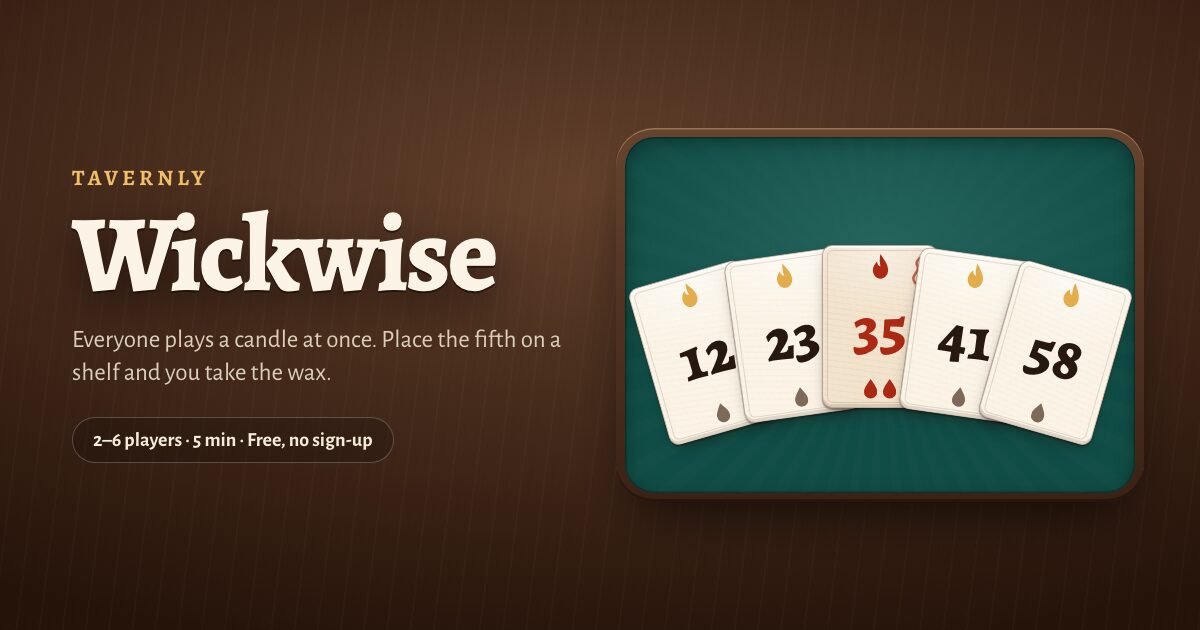
Wickwise on Tavernly is free browser play with no sign-up or download, and a game takes about five minutes. It has 2 to 6 seats and no app. Your first visit asks for your birth month and year; you must be 13 or over.
You need: a browser and a choice of opponents.
Play against bots
- Set your opponents. Under Play against bots, choose 1 to 5 in Opponents; the default is 3.
- Set the difficulty. Under Bots, choose Easy, Medium or Hard; Medium is selected initially.
- Open the table. Press Play now; bots take empty seats within five seconds.

With friends
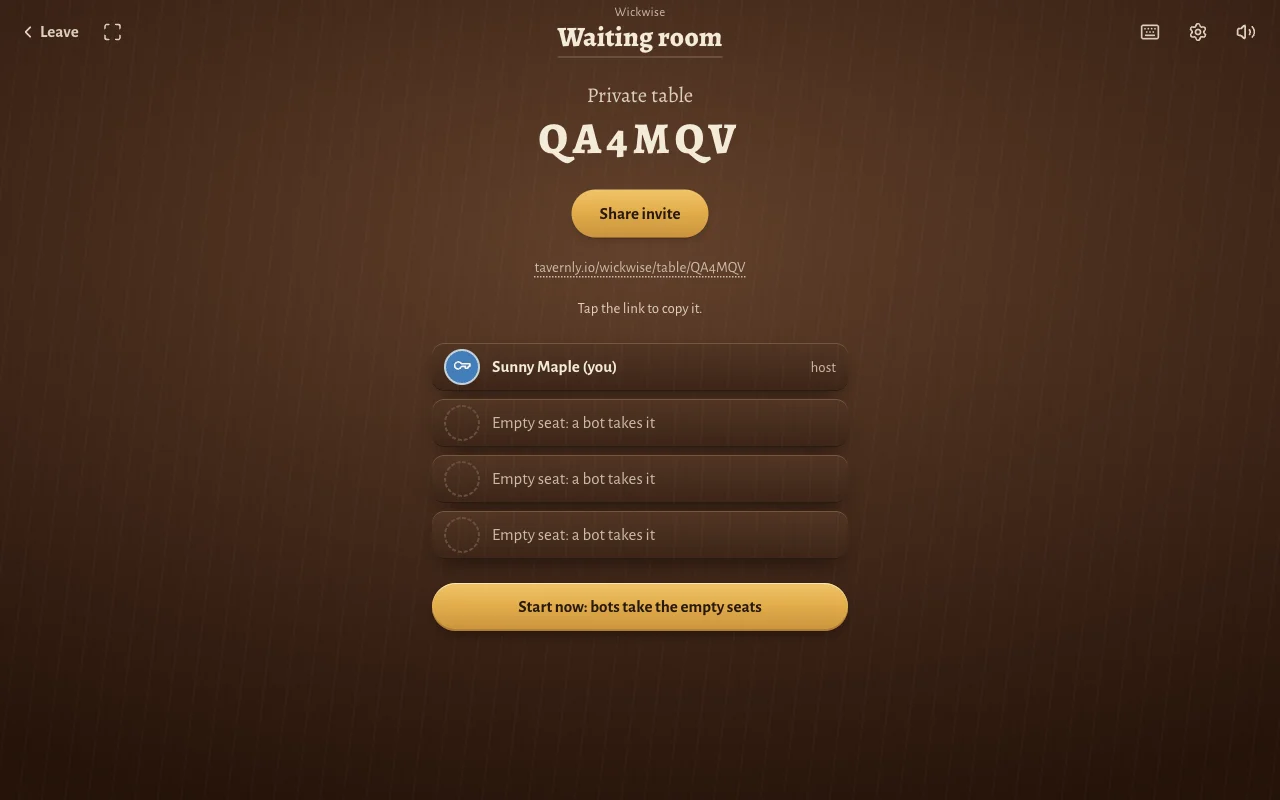
- Open the private-table setup. Under With friends, press Start now.
- Choose your seats. Under Seats at the table, pick a number, then press Start a private table.
- Send the invitation. Press Share invite, or tap the invite link to copy it for your friend.
- Begin with the seats you have. Press Start now: bots take the empty seats.
At your pace
- Open the pace option. Find the At your pace card.
- Look for human opponents. Press Find players.
- Return for your turn. Play when you like; a notification tells you when it is your turn.
Play a turn
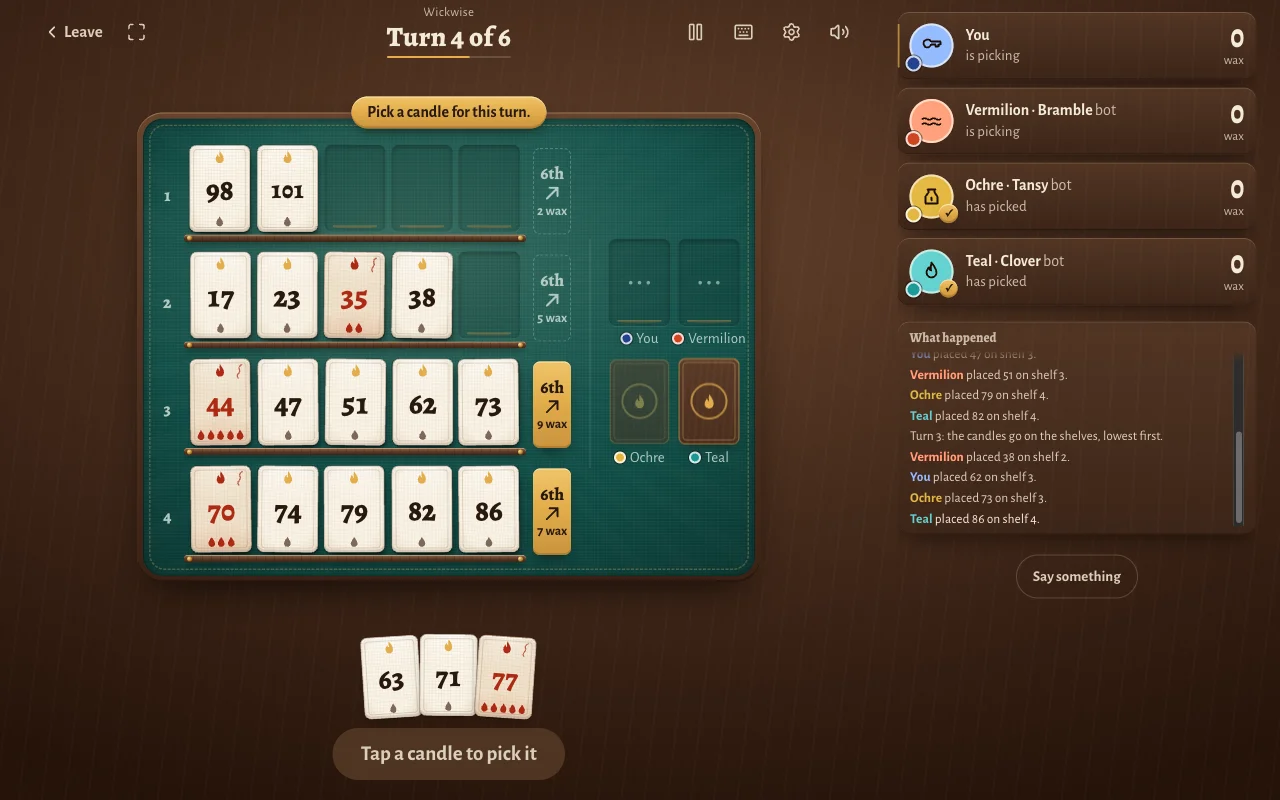
- Pick from your hand. Tap a candle, then press Play.
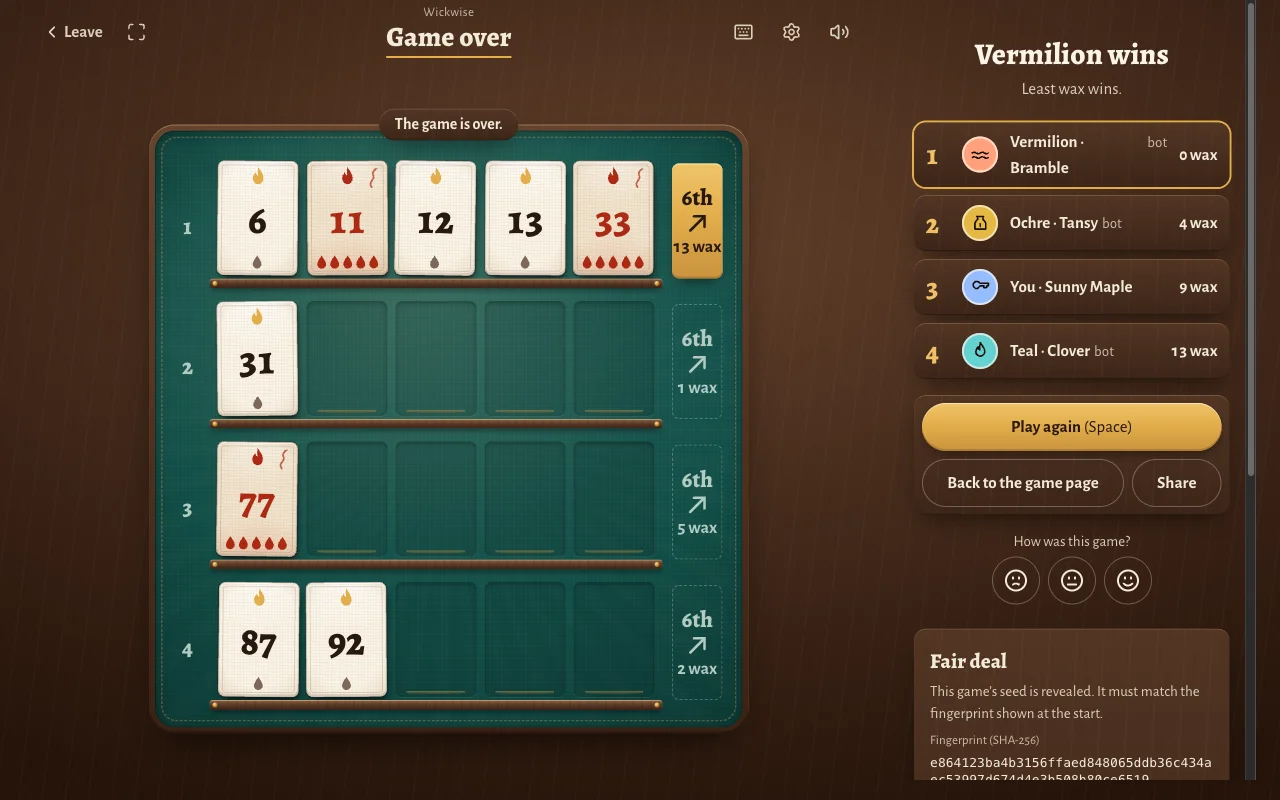
- Read the shelf labels. A label such as "6th" and "9 wax" shows what placing the sixth candle there would cost.
- Check how much room is left. Point at a shelf or candle, or hold a finger on it, to see how many more candles fit.
- Follow the turn. Seat labels show is picking or has picked; What happened lists the placements. Every turn has a timer.
At the end
- Read the result. Game over shows your place and wax total.
- Check the deal. In Fair deal, compare the revealed seed's SHA-256 fingerprint with the fingerprint shown at the start.
- Open verification. Follow Verify this game, or visit Verify a game.
- Play another game. Press Play again (Space).
Learn by playing
- Open the coached game. Under Beginner, press Learn by playing.
- Follow the first prompt. Pick candle 30 to follow 29; the other candles are dimmed.
- Follow the shelf prompt. Pick 38 as the coach explains what happens when a shelf fills.
- Continue against three bots. The coach rings a suggested candle on your turn.
How to play 6 nimmt!: the rules step by step
These are the rules of Wickwise on Tavernly, our own version.
- Deal six candles. A candle is a numbered playing piece; there are 104, numbered 1 to 104. You receive six, dealt once.
- Look at the four shelves. A shelf is a space holding up to five candles. Each starts with one candle.
- Pick a candle in secret. Everyone chooses at the same time. Nobody sees another pick until everyone has chosen.
- Place the candles lowest first. Each joins the shelf whose end is the highest number below it. With ends of 12, 20, 31 and 47, candle 25 follows 20.
- Tip a full shelf. A sixth candle tips the shelf. You take the wax of the five candles on it (wax is the penalty), and your candle starts the shelf alone. For example, 19 tips a shelf containing 9, 11, 16, 17 and 18.
- Handle a candle that is too low. When it falls below every shelf end, choose a shelf and take its wax. Your candle starts it alone; higher candles wait for your choice.
- Count the wax. After six turns, the fewest wax wins, with ties sharing a place. A smoky candle appears red and is worth more than one wax.
| Candle | Wax |
|---|---|
| 55 | 7 |
| Other multiples of 11 | 5 |
| Multiples of 10, such as 30 | 3 |
| Other multiples of 5 | 2 |
| All others, such as 18 | 1 |
Tips and warnings
- Do not always play your lowest candle. In our four-seat Medium test, that choice every turn gave 9 wax and third place.
- Read the shelf labels. They show the wax at stake when a sixth candle arrives.
- Compare shelves for a low candle. The least-wax shelf usually costs you least when you must choose one.
- Try another game for two. Read our guide to a two-player drop game.
Warning: If your turn timer runs out, the table plays your lowest-risk candle.
Questions people ask
Can I play 6 nimmt! online for free?
Board Game Arena lists 6 nimmt! as free to play in your browser. Wickwise on Tavernly is also free and requires no sign-up. The 6 takes! App Store listing is paid.
Do I need to download anything?
Board Game Arena and Wickwise on Tavernly run in a browser without a download. The App Store option, 6 takes!, is an app for iPhone and iPad.
Can I play alone against the computer?
Wickwise on Tavernly lets you start against bots at three difficulty levels. The 6 takes! listing also describes single-player games against computer opponents with three difficulty levels. We did not log into Board Game Arena, so we cannot describe computer opponents there.
Can I play with friends?
Wickwise on Tavernly has private tables you can share through an invitation link. Follow the private-table steps above to set one up and bring your friend into the waiting room. The 6 takes! listing describes local multiplayer on one device, with no online multiplayer listed.
Can I play on my phone?
Wickwise on Tavernly runs in a browser, but we did not test a phone. The 6 takes! listing names iPhone and iPad and requires iOS 11.0 or later. We did not test that app.
How many players are there?
Board Game Arena lists 6 nimmt! for 2 to 10 players. Wickwise on Tavernly has 2 to 6 seats, including any bots. The 6 takes! listing describes local multiplayer for up to four people on one device; that is separate from its single-player mode.
What if my candle is too low?
In Wickwise on Tavernly, a candle below every shelf end makes you choose a shelf and take its wax. Your candle then starts that shelf alone. The table pauses higher placements for your choice, so make it before the other candles can continue.
What happens when the timer runs out?
Each turn in Wickwise on Tavernly has a timer. When it runs out, the table plays your lowest-risk candle for you. The same applies if you leave the table: it picks for you, so the other players can continue.
Sources
- Board Game Arena game panel
- 6 takes! on the App Store
- Wickwise on Tavernly: the rules, seats, timer and bot levels of our own game.
We did not test a phone, the app, BGA after login, or the lesson timing.
Wickwise is not affiliated with or endorsed by the owner of 6 nimmt!. 6 nimmt! is a trademark of its owner. As an Amazon Associate we earn from qualifying purchases. If you want the physical game, here is 6 nimmt! on Amazon.