How to Play Wingspan Online
By the Tavernly team ·

Wingspan, designed by Elizabeth Hargrave and published by Stonemaier Games, won the 2019 Kennerspiel des Jahres. You can play it on Board Game Arena, on Steam or in the phone apps. We make Fabulary on Tavernly.
The short answer (checked 16 October 2026)
- Board Game Arena: play Wingspan in a browser, free to join; hosting may need Premium.
- Steam or iOS/Android apps: buy an installed version for your device.
- Fabulary on Tavernly: our free card game, with bots, friend invites and a guided lesson.
Which way is right for you?
| You want | An option to consider |
|---|---|
| Wingspan in a browser | Board Game Arena |
| Wingspan installed on a computer | The Steam game |
| Wingspan on an iPhone or iPad | The iOS app |
| Wingspan on Android | The Android app |
| Our own browser card game | Fabulary on Tavernly |
Method 1: Board Game Arena, in your browser (free to join)
Board Game Arena runs Wingspan in your browser without a download, with an average listed duration of 26 minutes. Its page lists one to five players and lets free accounts join tables. Hosting may need Premium, so check its rules after signing in.
You need: a Board Game Arena account.
- Sign in to Board Game Arena. Create a free account if you do not have one.
- Open the Wingspan listing. Use the Board Game Arena game page to reach the game.
- Join a table. A free account can join tables.
- Check before hosting. Read the Premium rules while signed in, before you plan a table for your group.
Method 2: Steam or the phone apps (paid)
The Steam game is a paid Wingspan release developed by Monster Couch. Its listed publishers are Monster Couch, Stonemaier Games and indienova. The store lists Single-player, Multi-player and Cross-Platform Multiplayer, so it covers both solo play and play with other people.
You need: a computer for Steam, or a phone or tablet for the apps.
- Open the Steam store page. Wingspan on Steam lists a US price of $19.99.
- Check your computer. The listing shows Windows and Mac. The game was released on 17 September 2020.
- Buy and install it. Follow Steam's steps on the computer you plan to use.
For the apps, buy through the US App Store for iPhone or iPad ($9.99), or US Google Play for Android ($9.99).
Method 3: A Wingspan alternative: Fabulary on Tavernly
A Wingspan alternative
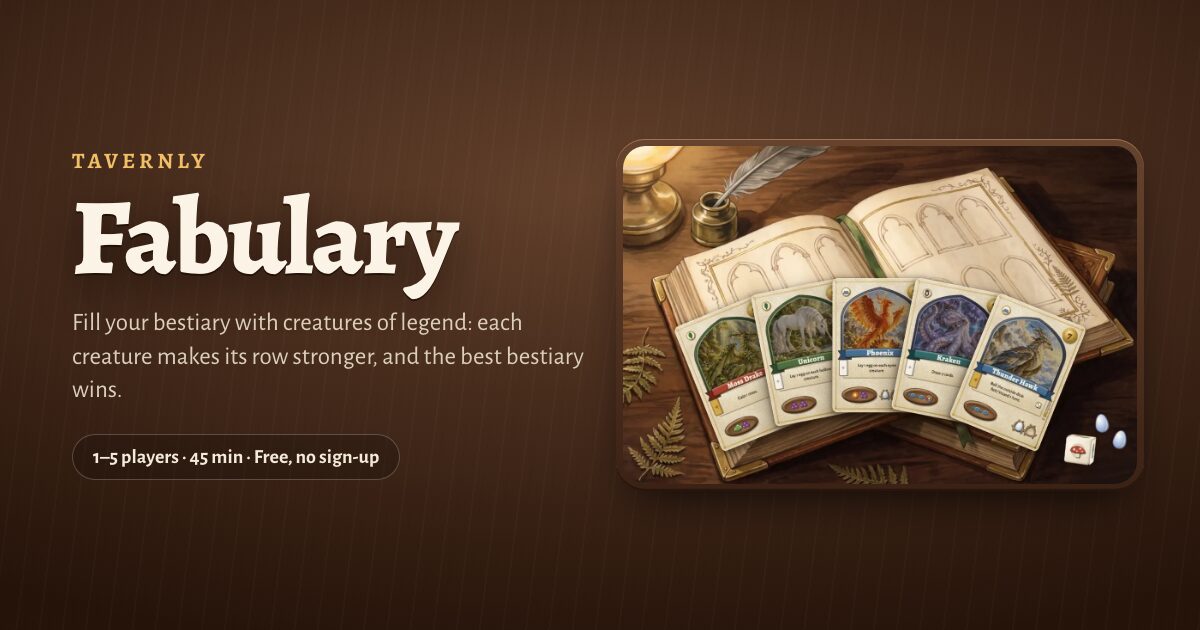
Fabulary on Tavernly is our free browser card game, with no account required. The game page gives a play time of about 45 minutes. On your first visit, enter Month and Year on "When were you born?", then press Continue.
You need: a browser.
Play against bots
- Set the bot options. Choose Opponents (0 to 4) and Bots (Easy, Medium or Hard).

- Press Play now. With 2 to 5 seats, bots fill empty places within five seconds.
Play with friends
- Set up the seats. Press Play with friends, choose 1 to 5 seats, then Start a private table.
- Send the invite. Press Share invite, or tap the link to copy.
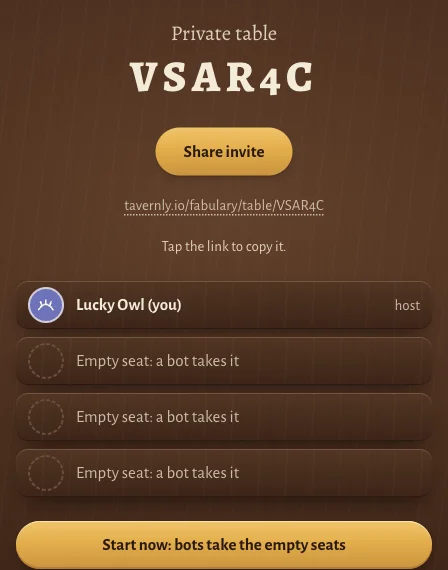
- Start the table. Press Start now: bots take the empty seats.
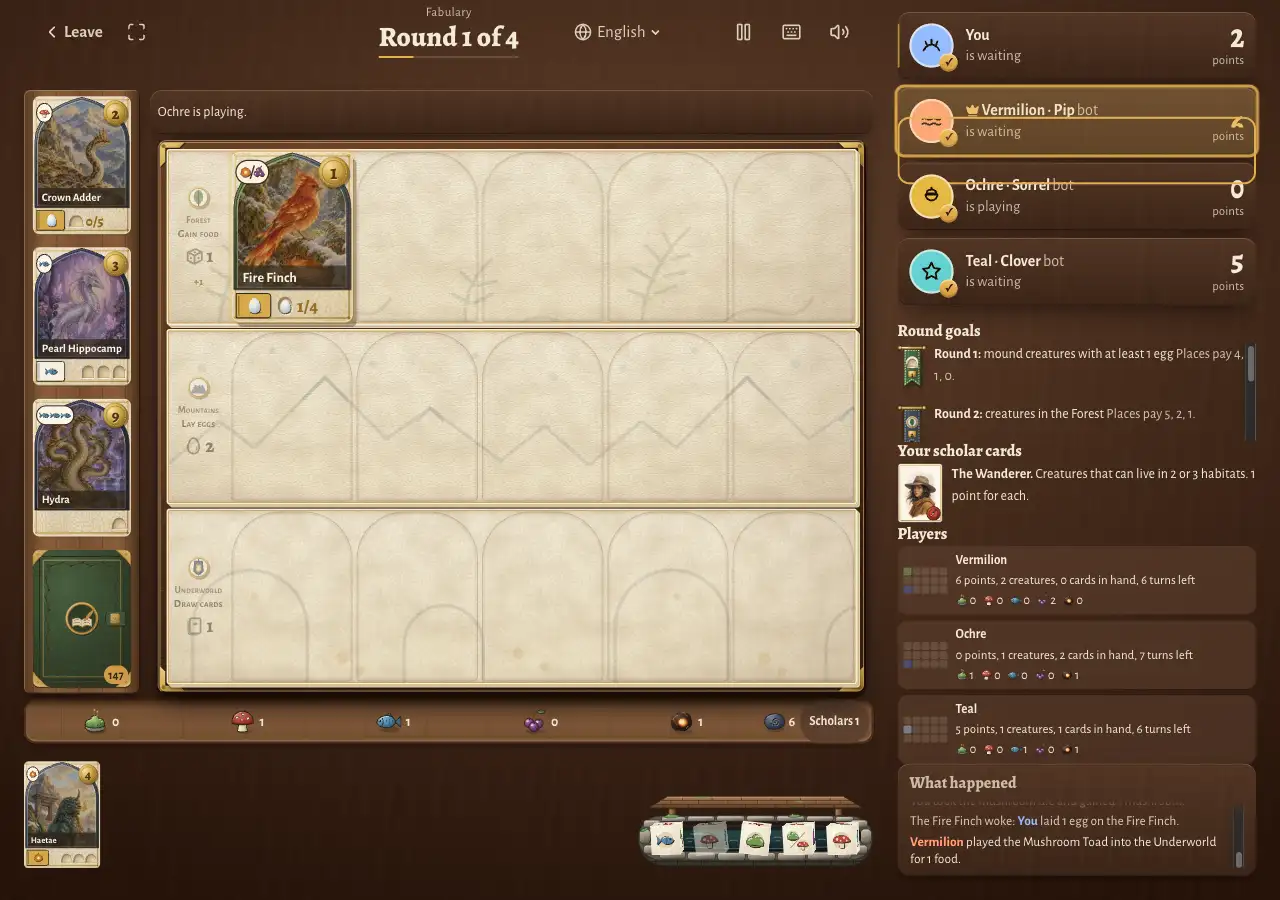
Try the guided lesson
Press Learn by playing for 19 coach steps with you and one bot; we did not time the lesson.
- Play Tsuchinoko. Tap its card, then tap Play.
- Take food. Follow the coach's prompt to tap the Forest.
- Lay eggs. Tap the Mountains when prompted.
- Draw a card. Tap the Underworld when prompted. After the coach steps, suggestions continue and you may make any move.
Learn the rules of Fabulary on Tavernly
In Fabulary on Tavernly, you build rows of creatures and choose one action on each turn. Creatures help their land produce food, eggs or cards, and their powers can act at different times. You play four rounds, then add the points from your creatures, goals and other scoring pieces.
| Plain word | Our name |
|---|---|
| A player board of three rows | bestiary |
| The three rows | lands: Forest, Mountains, Underworld |
| The shared dice pool | the Well |
| The open cards you can take | the shelf |
| A secret end-of-game goal card | scholar card |
| A marker for one turn | action stone |
| A creature card | creature |
- Step 1: Keep your starting creatures. You start with five creature cards, two scholar cards and one food of each kind. All players choose at once. Keep any creatures and give back one food for each. Keep one scholar card.
- Step 2: Take a turn. Play a creature, or use the Forest, the Mountains or the Underworld. You cannot pass. Turns run clockwise. You have 8, 7, 6 and 5 action stones in the four rounds, so 26 turns in all.
- Step 3: Play a creature. Pick a land it can live in and pay its food. It goes in the leftmost empty space. Column 1 costs no egg, columns 2 and 3 cost 1 egg, and columns 4 and 5 cost 2 eggs. Any two food can replace one food of the cost.
- Step 4: Use a land. The Forest gains 1, 2 or 3 food. The Mountains lay 2, 3 or 4 eggs. The Underworld draws 1, 2 or 3 cards. You get the first amount with 0 or 1 creatures in that land, the second with 2 or 3, and the third with 4 or 5.
- Step 5: Wake the row. After a land action, its creatures use their powers from right to left. You may skip a power that costs something. Other powers act when played, or on another player's turn.
- Step 6: End a round. Score the round goal, highest count first. Then put one stone on its banner, so you have one stone fewer next round. Tied players split the points of the places they fill, rounded down. A count of 0 earns no place.
- Step 7: Add up the score. After round 4's goal, add the points below. The most points wins. A tie goes to the seat with the most food left in its tray.
| How you score | Points |
|---|---|
| Creatures | Points printed on each creature |
| Scholar cards | The secret card you kept scores for what you built |
| Round goals | Points for your place in each of the four goals |
| Eggs | 1 point each |
| Hoarded food | 1 point each |
| Cards under creatures | 1 point each |
| Round 1 goal | 1st: 4; 2nd: 1; 3rd: 0 |
| Round 2 goal | 1st: 5; 2nd: 2; 3rd: 1 |
| Round 3 goal | 1st: 6; 2nd: 3; 3rd: 2 |
| Round 4 goal | 1st: 7; 2nd: 4; 3rd: 3 |
Our version: our creatures, powers, numbers, names and look are our own.
Tips and warnings
- Read the card. Creature cards show permitted lands, food costs, points and egg limits.
- Leave room for eggs. Each creature holds eggs only up to its limit.
- Skip an unwanted trade. Use Skip the trade (S) when an offer appears.
- Check the move log. Open What happened to follow the moves.
- Verify a game. Verify a game explains the secret seed behind each shuffle and roll. Its fingerprint appears at the start; the seed appears at the end.
Warning: Fabulary on Tavernly is for players aged 13 or over.
Questions people ask
Do I need to download anything?
Board Game Arena runs Wingspan in a browser, so it needs no game download. The Steam game and iOS/Android apps are installed versions. Fabulary on Tavernly also runs in a browser; use the methods above to open the option you want.
Can I play Wingspan online for free?
A free Board Game Arena account can join Wingspan tables; check the hosting rules after signing in. The Steam game and iOS/Android apps are paid options, with their US listing prices given above. Fabulary on Tavernly is also free and requires no account.
Can I play alone?
The Steam Wingspan listing includes Single-player, and Board Game Arena lists a one-player option. In Fabulary on Tavernly, set Opponents to 0 or create a one-seat private table. You face the Rival, a scholar who turns one card each turn.
Can I play with friends?
The Steam game lists Multi-player and Cross-Platform Multiplayer. Fabulary on Tavernly has private tables with a shareable invite link for your group. For turns at different times, choose Find players: real people move when they have time, and a notification tells you when to play.
Can I play on my phone?
Wingspan has iOS/Android apps, with the iOS listing covering iPhone and iPad. Fabulary on Tavernly opens in a browser, but we did not test a phone. The store pages describe the phone versions here; we have no hands-on app results to report.
How many players?
Wingspan supports one to five players; Fabulary on Tavernly also takes one to five. A one-human table, alone or with bots, has no turn timer on Fabulary on Tavernly. You can take time to consider the next move before choosing an action.
Is there a Wingspan app?
Yes, Wingspan: The Board Game appears on the App Store, with Monster Couch sp. z o.o. listed as seller. Wingspan is also on Google Play, while the Steam game is the computer option. The Sources links below lead to each store listing.
Sources
- Board Game Arena: listing, players, duration and Premium flag; checked 16 October 2026.
- Steam: price, platforms and developer; checked 16 October 2026.
- App Store: app listing; checked 16 October 2026.
- Google Play: app listing; checked 16 October 2026.
- Stonemaier Games: designer, publisher and award; checked 16 October 2026.
- Fabulary on Tavernly: controls, lesson and our rules; checked 16 October 2026.
We checked all outside pages on 16 October 2026. We did not test BGA signed in, the Steam game, the apps or a phone, and we did not check the console stores.
Fabulary is not affiliated with or endorsed by the owner of Wingspan. Wingspan is a trademark of its owner. As an Amazon Associate we earn from qualifying purchases.
If you want the physical game, here is Wingspan on Amazon.