How to Play Othello Online
By the Tavernly team ·
To play Othello, two players take turns flipping the other side's discs on an 8 by 8 board. You can find it on Board Game Arena and in the official app. We make Reversi on Tavernly, a free browser alternative.
The short answer
- Browser option: BGA's panel includes a rules summary, help and tips.
- Official app: The App Store lists offline and online multiplayer.
- Our browser alternative: Reversi on Tavernly offers bots, private tables and a coach.
Which way is right for you?
Choose by the device you have and who you want to face. The choices below also separate reading the rules from learning during a game.
| You want to... | Best choice |
|---|---|
| Read a browser game's rules summary | Board Game Arena's panel |
| Get the officially licensed app | Othello - The Official Game |
| Face a bot | Reversi on Tavernly, Play against bots |
| Invite a friend | Reversi on Tavernly, With friends |
| Play at your own pace | Reversi on Tavernly, At your pace card |
| Learn during play | Reversi on Tavernly, Learn by playing |
Board Game Arena: Reversi in your browser
Board Game Arena's panel lists a two-player game lasting 10 minutes, with complexity rated 1 out of 5. It includes a rules summary and links to help and tips, but no tutorial.
You need: a browser.
- Open the panel. Follow the Board Game Arena game panel.
- Read the rules summary. The panel gives you a place to review the rules before looking at a table.
- Open help or tips. Follow the panel's links for those pages.
The panel does not mention Premium. We did not log in, so we cannot confirm Premium requirements or describe account setup.
Othello - The Official Game, the app (free)
Othello - The Official Game is listed as free for iPhone and iPad, requiring iOS 15.0 or later. The seller is LITE Games GmbH. Its App Store description calls it the officially licensed version and lists offline and online multiplayer.
You need: an iPhone or iPad with iOS 15.0 or later.
- Open the listing. Visit Othello - The Official Game on the App Store.
- Check your device's version. Compare it with the listing's iOS requirement.
- Review the listed modes. The description names offline and online multiplayer.
We did not test the app. We did not check Google Play, in-app purchases or whether it asks for an account.
An Othello alternative: Reversi on Tavernly
An Othello alternative
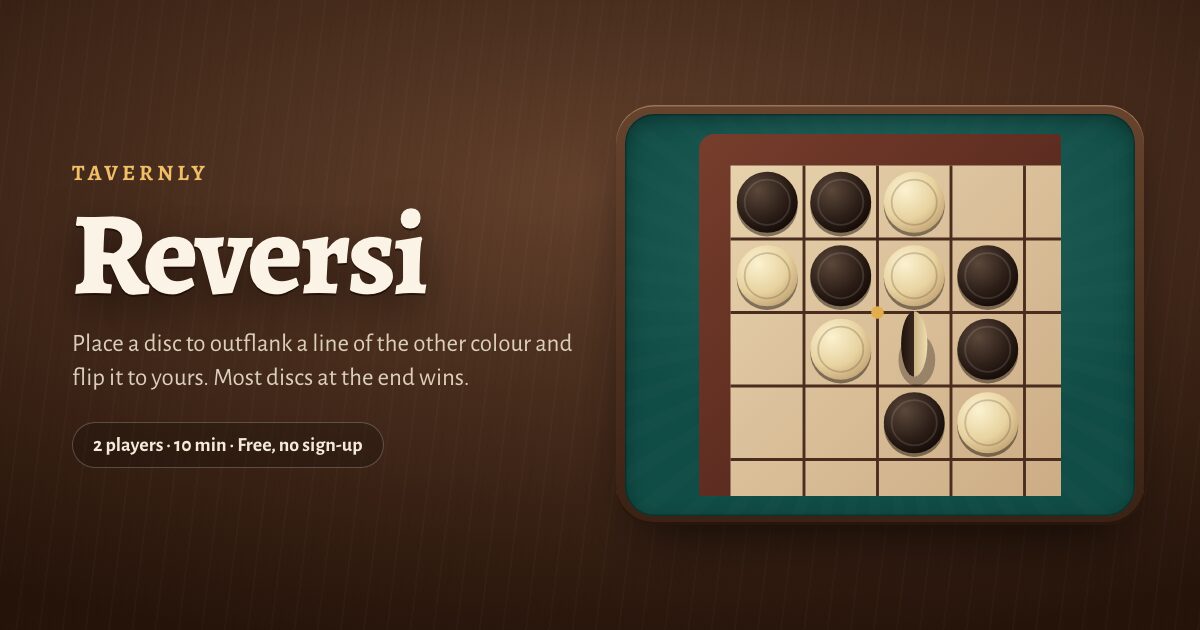
Reversi on Tavernly is free, with no sign-up, and a game takes about ten minutes. You can face a bot, invite a friend or follow a coach in your browser. It has no app, no expansions or variants, and no rating ladder. Players must be 13 or over.
You need: a browser; your first visit asks for your birth month and year.
Play against bots
- Open the game page. Follow the play card above.
- Choose a difficulty. Under Play against bots, choose Easy, Medium or Hard; Medium is the default.
- Start the game. Press Play now; a bot fills the empty seat within five seconds.

With friends
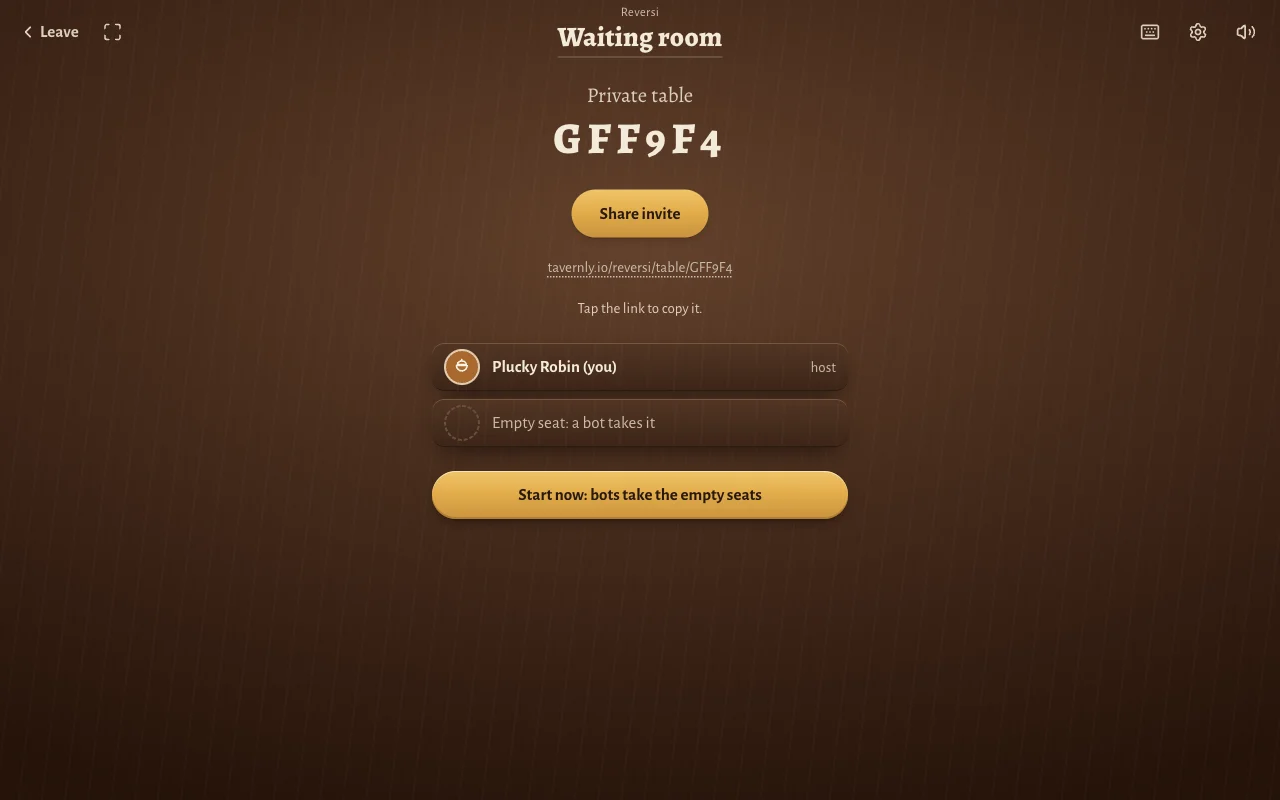
- Open the friend card. Press Start now under With friends.
- Create the table. Press Start a private table.
- Send the invitation. Press Share invite and send the link for your friend to open in a browser.
- Start your table. Press Start now: bots take the empty seats when ready; a bot takes any seat still empty.
At your pace
- Find a game without rush. Press Find players on At your pace; a notification tells you when it is your turn.
Play a turn
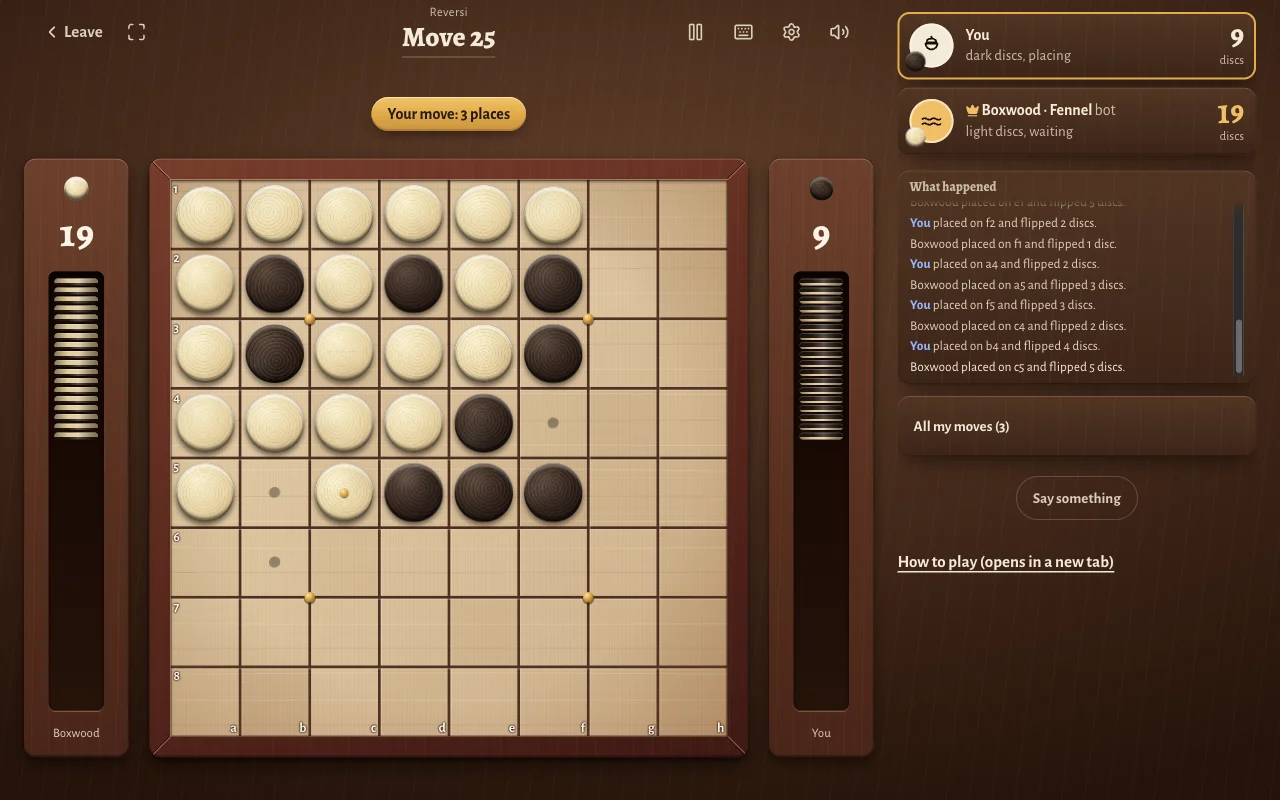
- Choose a marked square. Pencil dots show every legal place; “All my moves” lists squares and their flip counts.
- Place with a mouse. Click the square you want; one click placed a disc in our test.
- Preview on a touch screen. Tap a square to see your disc there, with rings around discs it would flip.
- Confirm your touch move. Tap again or press Place.
Columns run a to h from left to right, and rows run 1 to 8 from the top. The top-left corner is a1; “What happened” records placements and flips.
At the end
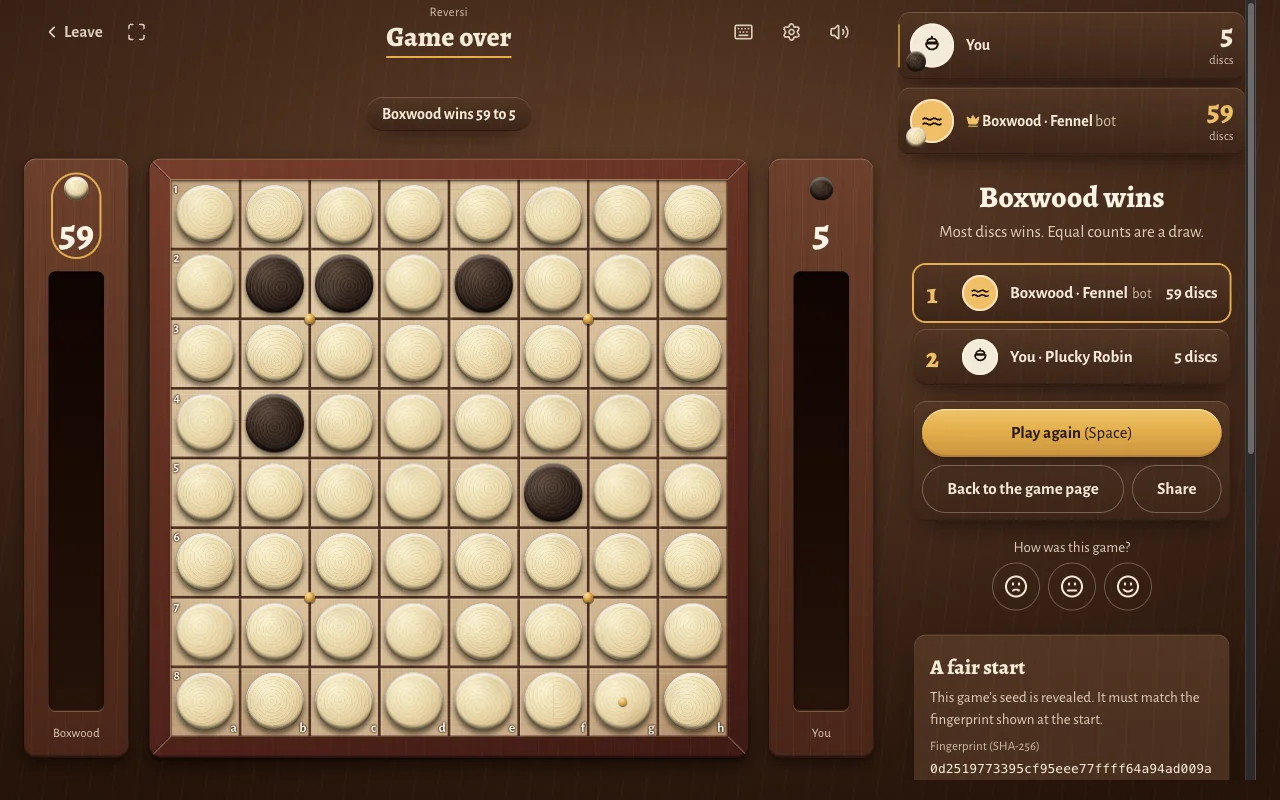
- Read the result. The end screen names the winner and shows both disc counts.
- Start another game. Press Play again (Space).
- Check the revealed seed. “A fair start” reveals it for comparison with the starting fingerprint; Verify a game is the verification page.
Learn by playing
- Begin the coached game. Press Learn by playing under Beginner.
- Place where the coach asks. The opening examples show how straight and slanted lines trap discs.
- Advance the lesson. Press Next when prompted.
- Continue with suggestions. On your turns, the coach suggests a square and explains its reason.
How to play Othello: the rules step by step
These are the rules of Reversi on Tavernly, our own version. Your goal is to finish with more discs showing your colour. Every placement must trap at least one opposing disc in a straight line. Flips can change several lines during one move, so check more than one direction.
- Set up the board. An 8 by 8 board starts with four centre discs, two of each colour arranged diagonally. Each disc has a dark face and a light face.
- Find who plays dark. A secret seed decides which player has dark discs; dark moves first.
- Place a disc that outflanks a line. Outflank means trapping opposing discs between your new disc and another of yours, without gaps. The line can run across, up, down or slanted.
- Flip the trapped discs. Every opposing disc in every line you close turns to your colour at once.
- Pass when you have no legal square. The other player moves again.
- End when neither player can move. Count the discs, even if the board still has empty squares.
| Result | What it means |
|---|---|
| Win | Your disc count is bigger. |
| Draw | Both players have the same count. |
Tips and warnings
- Value corners. A corner disc can never be flipped back because no line can close it off.
- Look beyond the biggest flip. In our test, always taking the most flips led to a 59 to 5 loss.
- Listen for a quiet move. The coach calls a move quiet when it gives away no corner.
- Limit the other side's choices. Leaving your opponent fewer moves is one aim the coach points out.
- Try another two-player game. Our guide to a two-player drop game covers another game with a bot and a private table.
Warning: Reversi on Tavernly gives you 30 seconds per turn. If the timer expires, the table places a disc for you.
Questions people ask
Can I play Othello online for free?
Reversi on Tavernly is a free browser alternative with no sign-up. The App Store also lists Othello - The Official Game as free, though we did not check purchases. BGA's public panel does not mention Premium, and we did not check it while logged in.
Do I need a download?
Reversi on Tavernly runs in your browser, so there is no app to download. Its game page has separate start cards for bots, friends, play at your pace and a coached game. The official app is a separate option listed for iPhone and iPad.
Can I play alone against the computer?
Yes. Reversi on Tavernly lets you take one seat while a bot takes the other. Bots are marked “bot” beside their names, so you can tell who you are facing. A bot can also fill an empty seat when you start a private table.
Can I play with friends?
Reversi on Tavernly has a private-table option for inviting a friend. Its waiting room shows a six-character table code and an invitation link you can tap to copy. Your own seat is marked “(you)” and “host”, so you can identify it before starting.
Can I play on my phone?
The App Store lists Othello - The Official Game for iPhone and iPad. Reversi on Tavernly has touch controls that preview a move before confirmation, but we did not test a phone. We also did not check Google Play, so this guide makes no Android app claim.
How many players are there?
Reversi on Tavernly has two players, one with dark discs and one with light discs. Each side has a box showing its disc count and the discs still to place. The header also shows the move number, which helps you follow the game.
What if I have no move?
In Reversi on Tavernly, having no legal square means you pass. The table handles that pass and tells you it happened; the other player then moves again. A pass does not itself end the game: play ends when neither side can place a disc.
What is the difference between Othello and Reversi?
Othello is the mark. Our game is called Reversi on Tavernly and is our own version. Reversi on Tavernly is not affiliated with or endorsed by the owner of Othello. The App Store listing describes its app as officially licensed.
Sources
- Board Game Arena, Reversi: players, duration and rules summary.
- App Store, Othello - The Official Game: price, platforms and modes.
- Reversi on Tavernly: the rules, seats, timer and bot levels of our own game.
We did not test a phone, the other options' live services or account steps, or the lesson timing.
Reversi is not affiliated with or endorsed by the owner of Othello. Othello is a trademark of its owner. As an Amazon Associate we earn from qualifying purchases. If you want the physical game, here is Othello on Amazon.