How to Play Can't Stop Online
By the Tavernly team ·

Sid Sackson designed Can't Stop in 1980, and this guide shows how to play Can't Stop online. This push-your-luck dice game has a browser option on Board Game Arena and phone apps from Mento Apps. We make Cairnreach on Tavernly, a free browser alternative.
The short answer
- Browser play: Board Game Arena lists free play with no download.
- Phone play: Mento Apps lists a free app and a premium version.
- Bots, friends and a coach: Cairnreach on Tavernly needs no sign-up.
Which way is right for you?
Choose by where you want to play and who will join you. The phone app lists offline play and variants, while our browser alternative offers bots, friends and a coach. The table points you toward those choices; the sections explain what we confirmed.
| You want to... | Best choice |
|---|---|
| Read a browser rules summary | Board Game Arena |
| Get a phone app with variants | Can't Stop: Dice Board Game |
| Play against the computer | Cairnreach on Tavernly, Play against bots |
| Invite friends | Cairnreach on Tavernly, With friends |
Board Game Arena: Can't Stop in your browser (free)
Board Game Arena lists Can't Stop for 2 to 4 players, with a duration of 6 minutes. Its panel describes free play with no download and includes a rules summary. The linked rules page lists Long Game, Forced Movement and Jump Variant.
You need: a browser to read the panel and rules.
- Open the panel. Visit the Can't Stop panel.
- Read the rules summary. Review it before opening the fuller explanation.
- Open the rules page. Follow the panel's rules link.
We did not log in and cannot confirm Premium requirements or account steps.
Can't Stop: Dice Board Game, the phone app (free)
Can't Stop: Dice Board Game is by Mento Apps Ltd. The App Store lists it as free for iOS 14.0 or later.
You need: iOS 14.0 or later for the App Store version.
- Read the free listing. Open Can't Stop: Dice Board Game on the App Store. It lists real-time online multiplayer, offline pass and play, and AI opponents. It also lists variants, push notifications and an invite link.
- Compare the premium listing. Can't Stop Premium (Dice Game) is $12.99 from the same seller on the App Store. We state no Android price.
- Check before installing. The Google Play listing says it is not affiliated with the original game and contains ads. We did not test the app.
A Can't Stop alternative: Cairnreach on Tavernly
A Can't Stop alternative
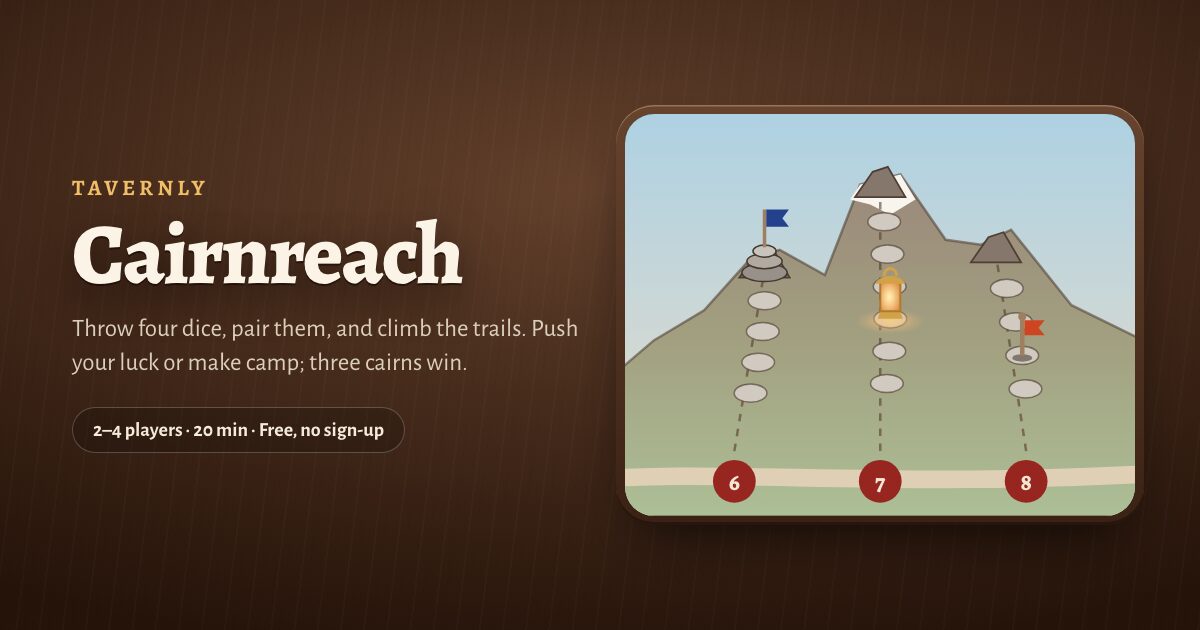
Cairnreach on Tavernly is free, with no sign-up, for 2 to 4 players and games of about 20 minutes. Play bots, invite friends or follow a coach. It has no variants, rating ladder or app; players must be 13 or over.
You need: a browser; your first visit asks for your birth month and year.
Play against bots
- Choose bots. Pick Easy, Medium or Hard.
- Play now. Press Play now; bots fill empty seats.

With friends
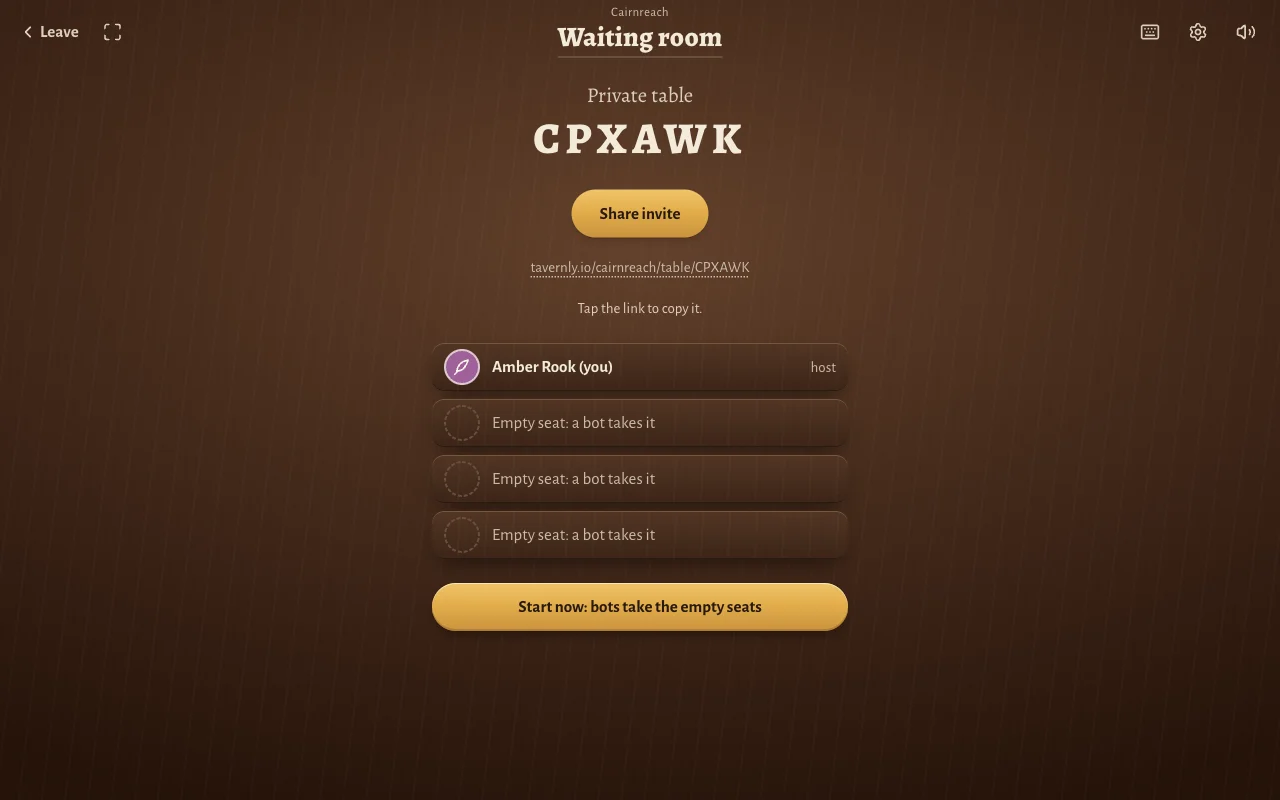
- Create a table. Press Start now, then Start a private table.
- Invite friends. Press Share invite and send the link, then press Start now: bots take the empty seats.
At your pace
- Find players. Press Find players. A notification tells you when it is your turn.
Play a turn
- Throw the dice. Press Throw the dice (Space).
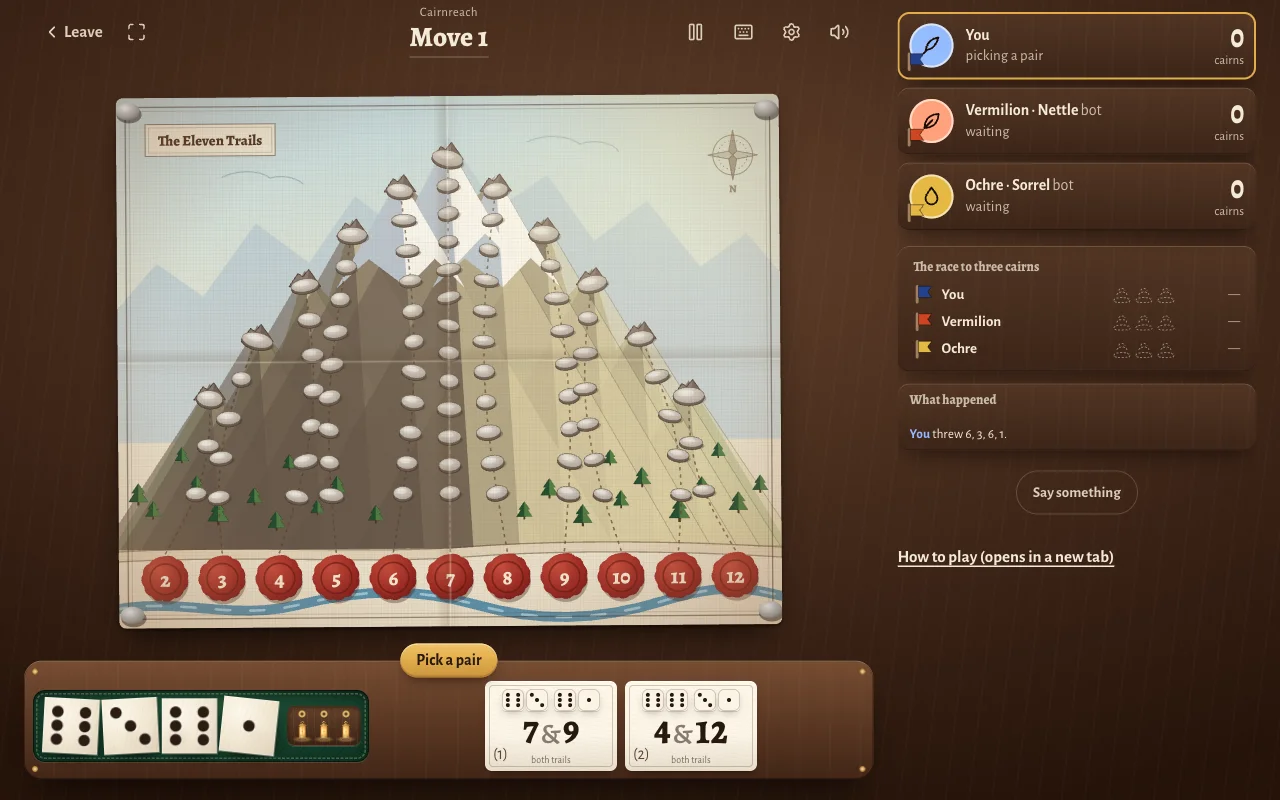
- Choose a pair card. Pick 7 & 9 or 4 & 12 in this example.
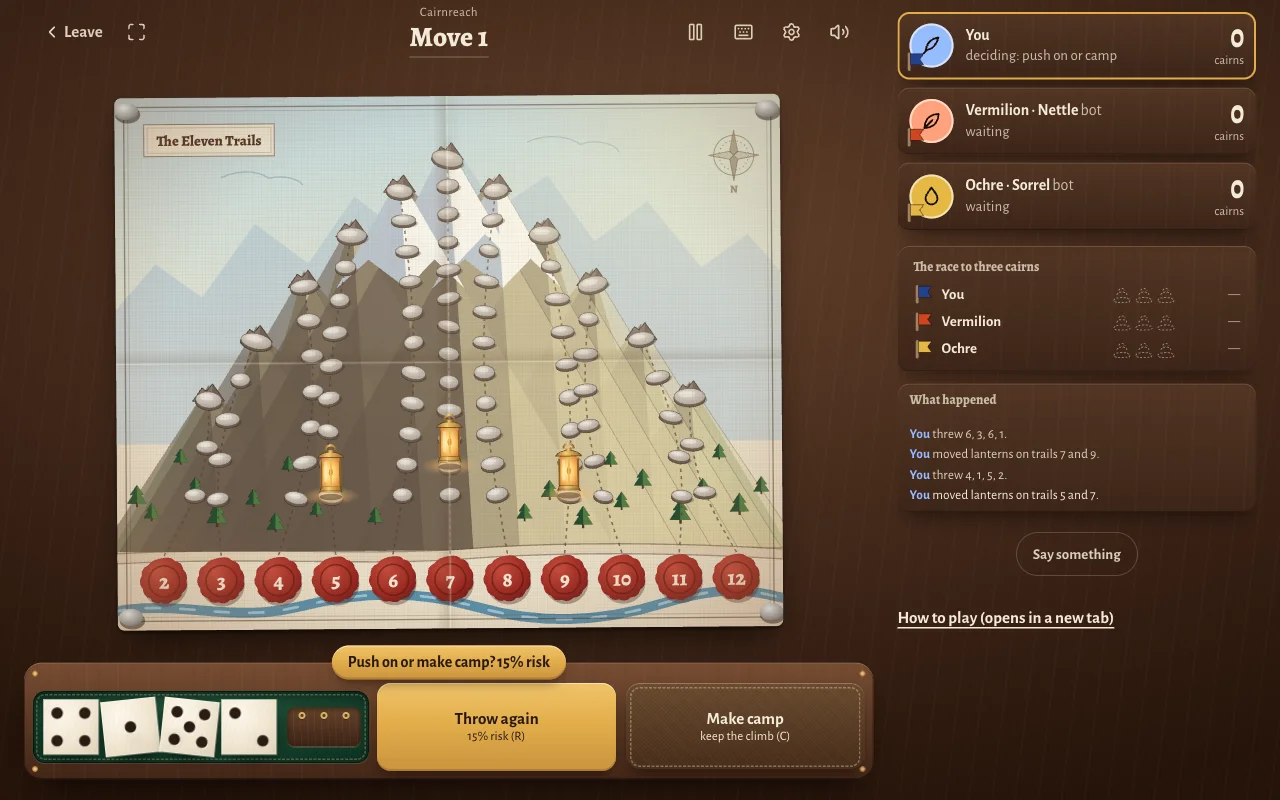
- Push on or camp. A lantern shows this turn's climb. A pennant keeps your saved height. Choose Throw again to risk another throw, or Make camp to turn lanterns into pennants.
- Read what happened. “You lost your footing” means no pair lets you climb. Your lanterns come off and your turn ends.
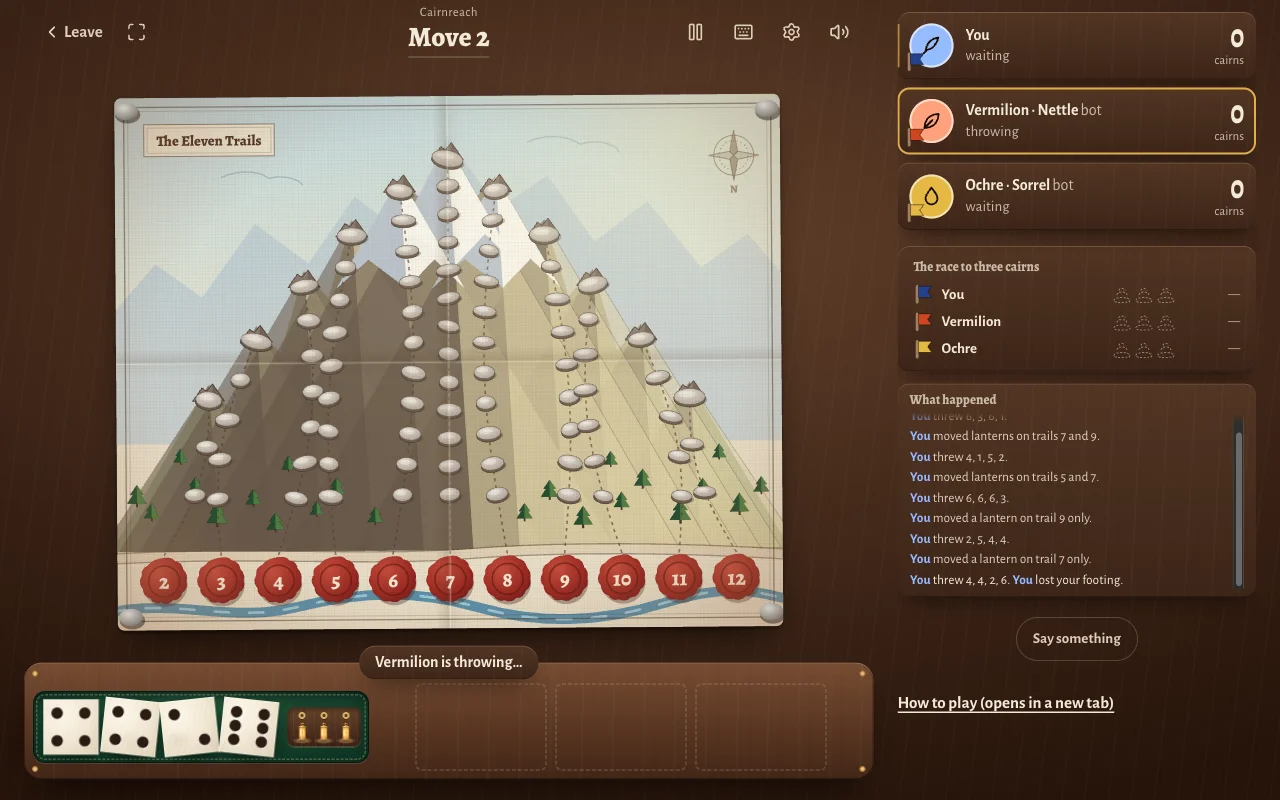
At the end
- Read the result. Choose Play again for another game.
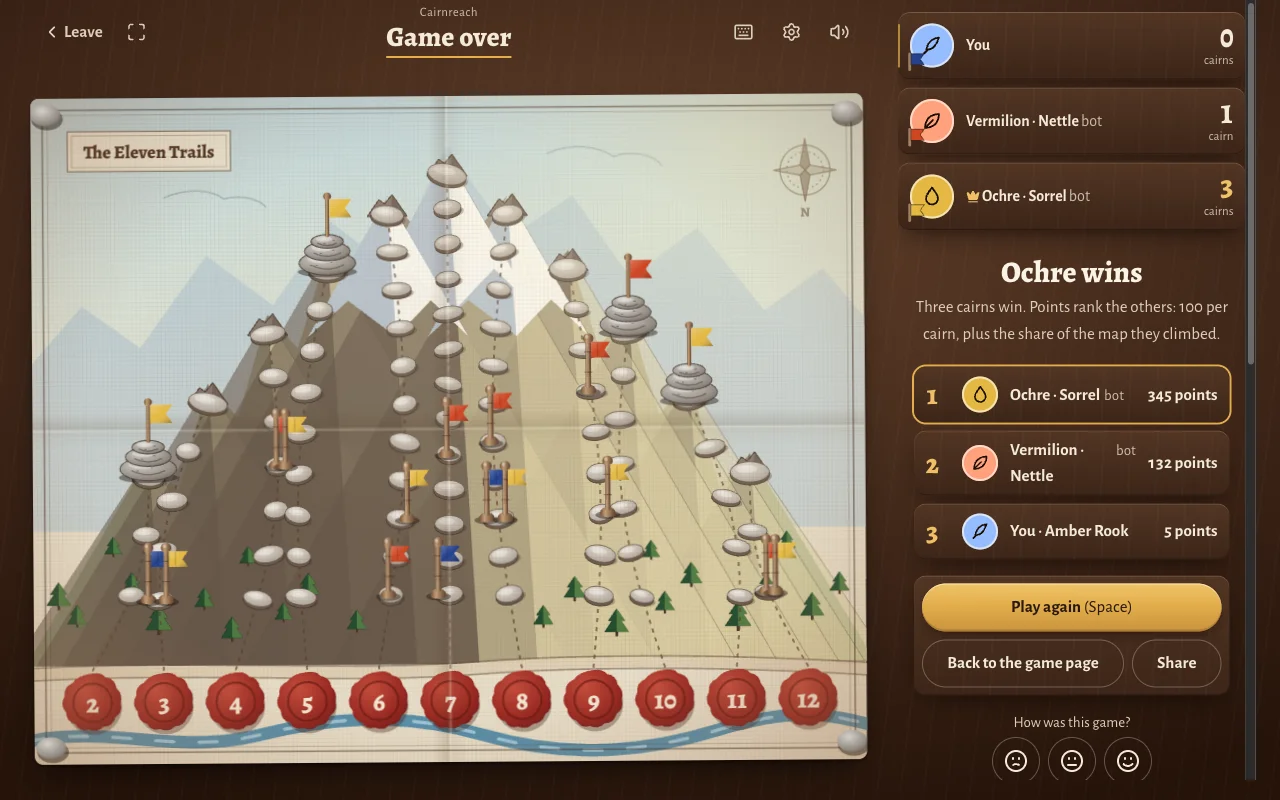
- Check the seed. Check the revealed throw seed against its starting fingerprint at Verify a game.
Learn by playing
- Start the lesson. Press Learn by playing under Beginner.
- Follow the pairs. Take 5 & 7, then 5 & 8.
- Save the climb. Camp, then face the bot; the coach rings its suggested move.
How to play Can't Stop: the rules step by step
These rules describe Cairnreach on Tavernly, our own version. You decide how long to keep climbing each turn. Stopping saves progress, while a throw without a legal climb loses that turn's gains; you win by claiming three summits before your opponents.
- Look at the map. Its 11 trails, numbered 2 to 12, end at summits, their top steps. Your pennant marks your saved height on each trail.
- Throw four dice. Roll all four dice.
- Pair the dice. Pair a throw of 6, 3, 6, 1 as 6+1 and 6+3, or 3+1 and 6+6. Their sums give the trail cards 7 & 9 or 4 & 12.
- Place a lantern. Start one a step above your pennant on that trail, or on step 1. A lantern already there climbs one step, but cannot climb beyond the summit.
- Count the lanterns. You have 3 lanterns per turn; equal sums climb two steps. If a pair needs a lantern you lack, only the other trail climbs; choose if either could climb but not both.
- Choose push on or make camp. Choose Throw again to push on. Choose Make camp to save your lantern heights as pennants and pass the turn.
- Lose your footing. No legal pairing means you lose your footing, or bust. Remove lanterns and pass; pennants keep their starting heights.
- Raise a cairn. Camp with a lantern on a summit to raise a cairn, closing that trail and removing opponents' pennants. The first player with three cairns wins immediately.
| Trails | Steps to the summit |
|---|---|
| 2 and 12 | 3 |
| 3 and 11 | 5 |
| 4 and 10 | 7 |
| 5 and 9 | 9 |
| 6 and 8 | 11 |
| 7 | 13 |
The middle trails are the longest because those sums are thrown most often.
When to stop rolling
Every push risks the climb you have not saved yet. In Cairnreach on Tavernly, the risk plaque shows the exact chance that your next throw has no legal pairing. Weigh that chance against your place in the race.
- Camp at a summit. When a lantern stands on a summit, camp, because that is how you raise the cairn.
- Watch the risk plaque. Our test showed 15% with lanterns on 5, 7 and 9; a free lantern showed 0%.
- Delay the third lantern. Keep a spare available before committing to three trails.
- Try the Rule of 28 cautiously. The Board Game Arena tips page credits Michael Keller's Rule of 28: add each climb's value, double it the first time you place a lantern on a trail, and camp at 28. It is imperfect, and we did not test it in Cairnreach on Tavernly. Values: 2 and 12, 6; 3 and 11, 5; 4 and 10, 4; 5 and 9, 3; 6 and 8, 2; 7, 1.
- Play safer when ahead. Take more risk when far behind.
Warning: A claimed trail is closed, so late in the game you can be stuck with no move.
Tips and warnings
- Read the log. What happened records climbs and lost footing.
- Inspect symbols. Point at a wax seal or lantern box, or hold a finger there, to read its meaning.
- Check both choices. Some pair cards have separate trail buttons.
- Try another dice game. Backgammon on Tavernly is a two-player dice race: throw, move fifteen checkers home, and bear them off first.
Warning: Cairnreach on Tavernly allows 40 seconds per decision. On expiry, it throws or picks for you; after a climb, it makes camp.
Questions people ask
Can I play Can't Stop online for free?
Board Game Arena's Can't Stop panel describes free browser play, though logged-in requirements remain unconfirmed. The App Store lists Can't Stop: Dice Board Game as free. Cairnreach on Tavernly is a free browser alternative with bots, friends or a coach.
Do I need to download anything?
Cairnreach on Tavernly runs in your browser, so no download is needed. Board Game Arena also describes its browser option as requiring no download. Can't Stop: Dice Board Game is the phone app option; it requires iOS 14.0 or later.
Can I play alone against the computer?
Cairnreach on Tavernly lets you face 1, 2 or 3 bots. Choose Easy, Medium or Hard before pressing Play now; bot seats are marked “bot” at the table. Can't Stop: Dice Board Game also lists AI opponents; we did not test them.
Can I play with friends?
Cairnreach on Tavernly offers private tables and invitations through Share invite. When you start, bots take seats left empty. Can't Stop: Dice Board Game lists real-time online multiplayer and an invite link, plus offline pass and play on a shared device.
Can I play on my phone?
Can't Stop: Dice Board Game is listed on the App Store for iOS 14.0 or later. Cairnreach on Tavernly is the browser alternative and has touch explanations for its symbols. We did not test a phone or Android app, so the experience remains unconfirmed.
How many players are there?
Can't Stop has 2 to 4 players. Board Game Arena and Can't Stop: Dice Board Game list that range. Cairnreach on Tavernly also seats 2 to 4, with bots when you play alone or leave seats empty in a private table.
What happens when I lose my footing?
In Cairnreach on Tavernly, losing your footing is a bust: none of the possible pairings can advance a lantern. You lose this turn's climb and the turn passes. Your pennants stay at their saved heights, so earlier saved progress remains yours.
Sources
- Wikipedia, Can't Stop
- Board Game Arena, Can't Stop panel
- Board Game Arena, Can't Stop rules
- Board Game Arena, Can't Stop tips
- App Store, Can't Stop: Dice Board Game
- App Store, Can't Stop Premium (Dice Game)
- Cairnreach on Tavernly
We did not test a phone, the Android app, or Board Game Arena while logged in.
Cairnreach is not affiliated with or endorsed by the owner of Can't Stop. Can't Stop is a trademark of its owner. As an Amazon Associate we earn from qualifying purchases. If you want the physical game, here is Can't Stop on Amazon.